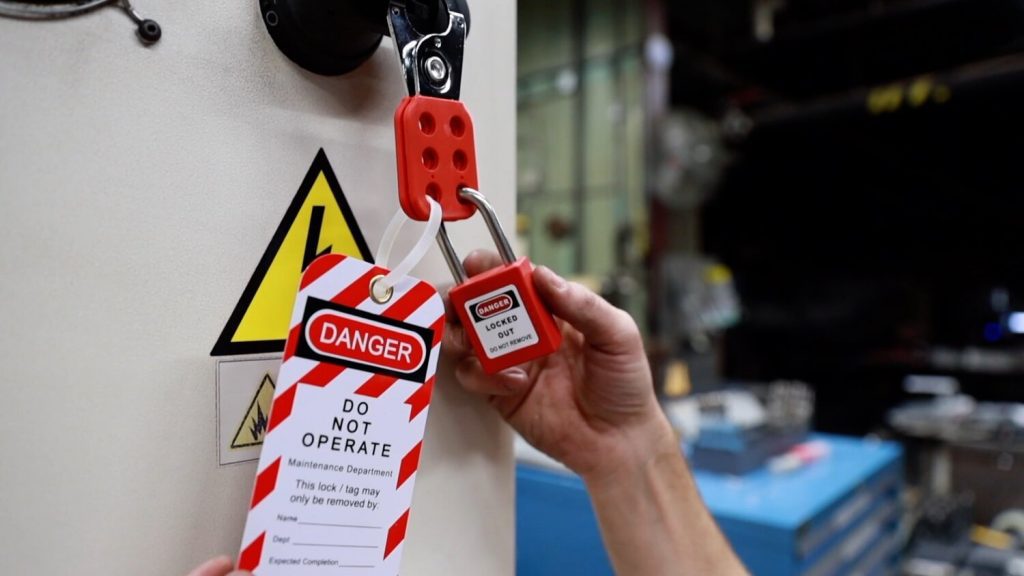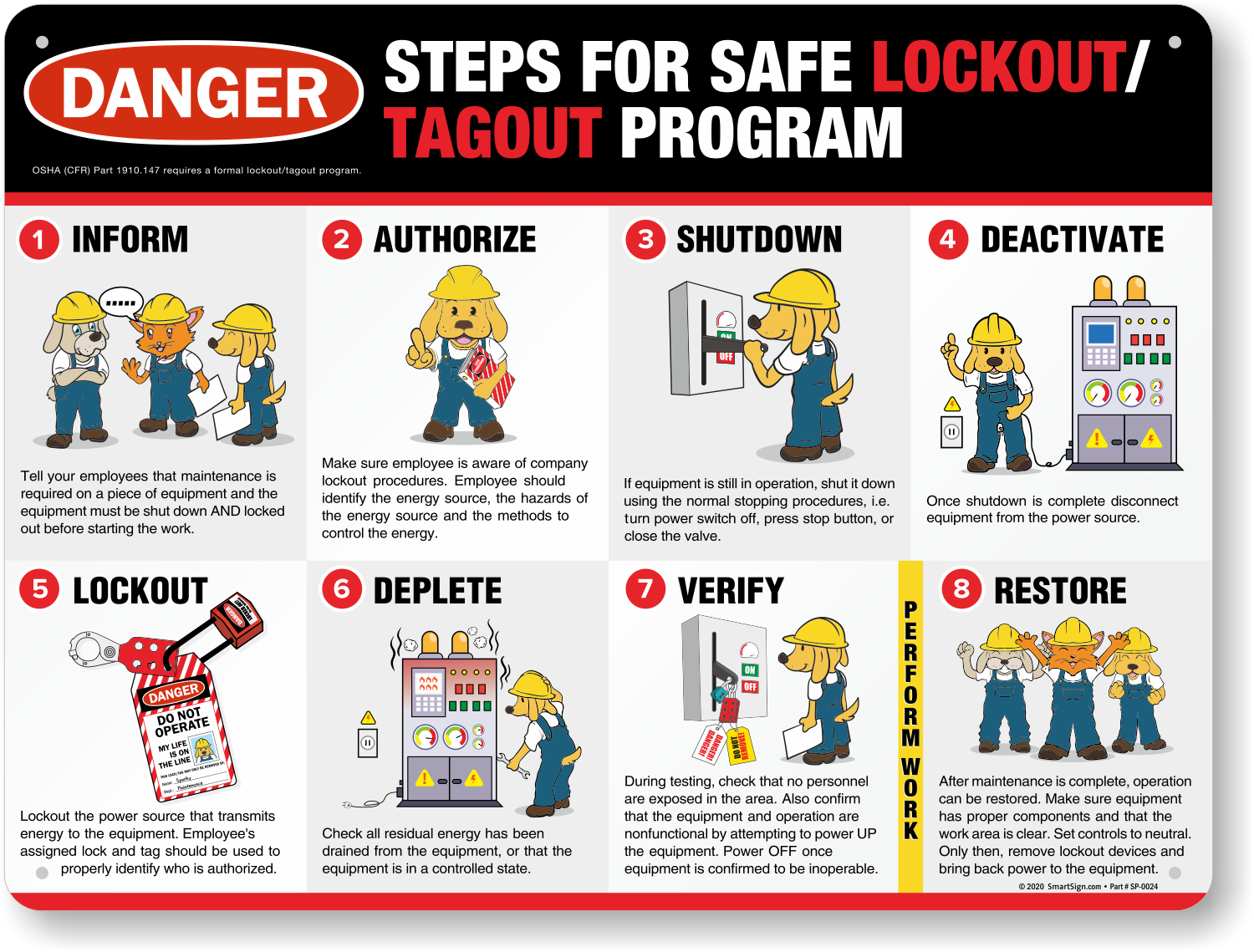
When multiple technicians service a single machine or interconnected system, confusion over lockout ownership or status can lead to accidental energization. A single missed lock or unverified isolation point turns routine maintenance into a potential catastrophe. That’s where a group lockout tagout form becomes essential—not just paperwork, but a functional control layer that synchronizes safety actions across teams.
Unlike individual LOTO procedures, group lockout scenarios demand shared accountability, clear communication, and documented verification. The group lockout tagout form serves as the central nervous system of this process: assigning control, tracking responsibilities, and ensuring no energy source is overlooked.
This article breaks down how to implement and optimize group lockout tagout forms in real-world environments, avoiding common pitfalls that undermine compliance and safety.
Why Group Lockout Tagout Requires More Than Individual Procedures
OSHA’s Control of Hazardous Energy standard (29 CFR 1910.147) mandates energy isolation during servicing. But when five electricians, two mechanics, and a controls technician work on a packaging line with hydraulic, pneumatic, electrical, and gravity-based hazards, individual lockout doesn’t scale.
Individual LOTO assumes one authorized employee controls all energy sources. In group work, that assumption fails. Without coordination:
- Workers may assume someone else locked out a circuit.
- Maintenance shifts may start without verifying previous locks.
- Isolation points can be bypassed due to unclear ownership.
A group lockout tagout form closes these gaps by centralizing control under a primary authorized employee—often called the group lockout coordinator—who manages the master lockout log, verifies isolation, and maintains the form throughout the job.
Real-world example: At a Midwest food processing plant, a technician re-energized a conveyor while another worker’s hand was inside a sealed cutter. The root cause? Four technicians had placed locks, but no form tracked who isolated which energy source. The restart technician assumed “all clear” because the main disconnect was tagged—but the hydraulic hold was still pressurized. A completed group LOTO form listing each energy source, isolator, and lock location would have prevented the incident.
Key Components of an Effective Group Lockout Tagout Form
A functional group LOTO form isn’t a blank sheet with signatures. It’s a structured document designed to eliminate ambiguity. Here are the non-negotiable elements:
#### 1. Equipment Identification Clearly state the machine name, ID number, and location. Avoid vague labels like “Production Line A.” Use specific identifiers: “Filler No. 3 – West Bottling Line.”
#### 2. Primary Authorized Employee Name and contact info of the coordinator responsible for overseeing the group lockout. This person applies the group lockbox and verifies all isolations.
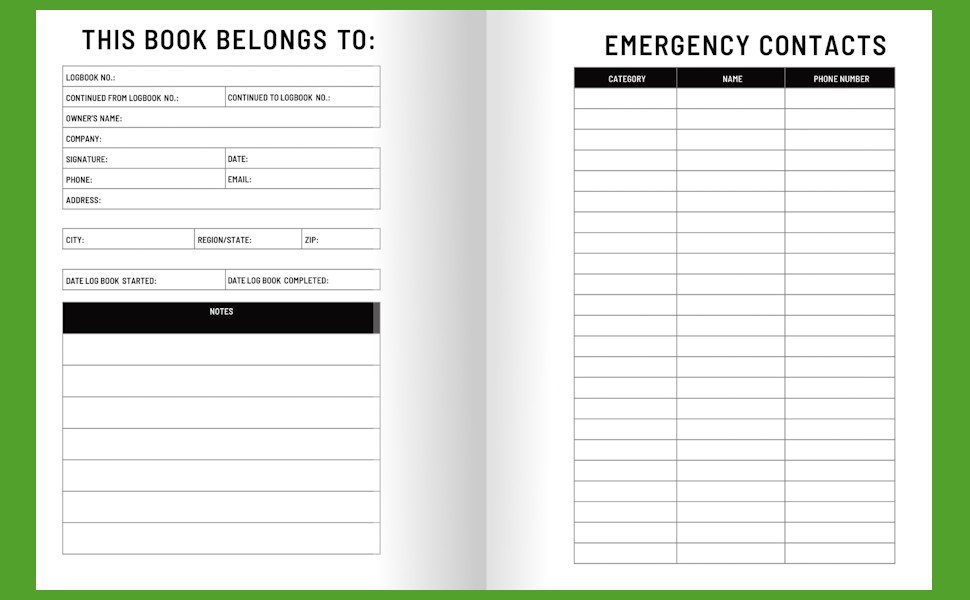
#### 3. List of Authorized Workers Each technician involved must sign in, noting their role and the energy sources they interact with. This creates accountability.
#### 4. Energy Source Inventory Detail every hazardous energy type and its isolation point: - Electrical: MCC breaker #7B - Pneumatic: Valve isolation at station 4 - Hydraulic: Reservoir drain and valve lock - Gravity: Mechanical pin insertion
#### 5. Lock and Tag Tracking Use a table to log: - Employee name - Lock ID number - Tag number - Energy source controlled - Time applied
This allows quick verification during shift changes or emergency checks.

#### 6. Verification of Isolation Space for the coordinator to confirm zero-energy state via testing (e.g., “Voltage tested with multimeter – 0V AC confirmed”).
#### 7. Shift Change Protocol Instructions for transferring custody, including handoff signatures and re-verification steps.
Common mistake: Using a generic LOTO form without energy-specific fields. One automotive supplier improved compliance by 70% after switching to a form with pre-labeled energy types and color-coded isolation zones.
When to Use a Group Lockout Tagout Form
Not every maintenance task needs a group form. Use it when:
- Multiple employees work on the same equipment simultaneously.
- Work spans shifts, requiring handoffs between crews.
- Interconnected systems are involved (e.g., a production line with linked conveyors and fillers).
- Complex energy sources require specialized isolation by different trades.
Example scenario: A paper mill schedules annual maintenance on its dryer section. The job involves: - Electrical technicians de-energizing motors - Mechanics uncoupling drive shafts - Controls engineers disabling PLC sequences
All work happens concurrently. A group LOTO form ensures each team’s locks are documented, energy sources are verified, and the coordinator maintains control until all work is complete.
Without the form, overlapping responsibilities create risk. A controls engineer might “assume” power is off because the electrician was seen at the MCC—but without documented verification, it’s a gamble.
Common Pitfalls and How to Avoid Them
Even well-designed forms fail when used incorrectly. These are the most frequent breakdowns:
#### ❌ Assuming the Form Replaces Physical Locks The form is a log, not a lock. Each worker must still apply their personal lock to the group lockbox or energy-isolating device.
#### ❌ Skipping Verification Steps Recording isolation without testing for zero energy is a compliance trap. The form must require proof—like “Tested with voltmeter” or “Relief valve bled for 60 sec.”
#### ❌ Poor Handoff Procedures Shift changes are high-risk moments. If the night crew assumes the day crew’s locks are still valid without rechecking, residual energy can cause injury.
Workflow tip: Use a “lockout transfer checklist” section on the form. The outgoing coordinator signs off on lock status, and the incoming lead re-verifies each isolation point before resuming work.
#### ❌ Using Duplicate or Unnumbered Locks Unmarked locks make accountability impossible. Each lock must have a unique ID tied to an employee in the form’s log.
#### ❌ Failing to Update the Form in Real Time Delayed documentation leads to inaccuracies. Require technicians to log their lock application immediately—not at break or shift end.
Best Practices for Implementing Group Lockout Tagout Forms
Adoption means more than printing forms. It requires integration into daily workflows and safety culture.
#### 1. Standardize the Form Across Facilities Use the same format plant-wide. Standardization reduces confusion during contractor work or cross-site support.
#### 2. Train on Form Completion, Not Just LOTO Basics Most LOTO training covers individual procedures. Add modules on: - How to fill out the group form - Coordinator responsibilities - Shift handoff protocols
#### 3. Use Lockout Stations with Pre-Filled Forms Place weather-resistant folders at machine lockout stations containing blank forms, pens, and PPE checklists. Reduces delays and ensures availability.
#### 4. Audit Forms Weekly Review completed forms for missing data, skipped steps, or inconsistent entries. Use audits to reinforce standards.
#### 5. Integrate with Permit-to-Work Systems In high-risk environments, tie group LOTO form approval to a formal work permit. This adds management oversight and ensures job scope alignment.
Digital vs. Paper Group Lockout Tagout Forms
The rise of EHS software has introduced digital alternatives to paper forms. Both have pros and cons.
| Feature | Paper Form | Digital Form |
|---|---|---|
| Accessibility | Always available, no tech needed | Requires device and login |
| Real-time Updates | Delayed until physical access | Instant sync across team |
| Audit Trail | Manual review, prone to gaps | Automated logs with timestamps |
| Integration | None | Can link to CMMS, ERP, safety dashboards |
| Training Curve | Low | Moderate to high |
Use case: A pharmaceutical plant switched to tablets at LOTO stations. Technicians scan QR codes on machines to pull up digital forms, photograph isolation points, and submit for coordinator approval. The system reduced form errors by 63% and sped up energy verification.
But in remote or high-interference areas, paper remains reliable. The best approach? Hybrid use—digital where connectivity allows, paper backups where it doesn’t.
What a Completed Group Lockout Tagout Form Achieves
A properly used form isn’t about compliance checkboxes. It delivers:
- Clear chain of custody over energy control
- Reduced miscommunication during multi-trade work
- Faster, safer shift transitions
- Auditable records for incident reviews or OSHA inspections
- Cultural reinforcement that safety is shared, not individual
In one manufacturing audit, OSHA cited a facility not for missing locks—but for missing documentation. Technicians had locked out equipment, but no form tracked who applied which lock or which sources were verified. The result? A $42,000 fine for “inadequate procedural documentation.”
The group lockout tagout form isn’t optional overhead. It’s the paper trail that proves due diligence.
Take Action: Strengthen Your Group Lockout Process Today
Start by reviewing your current LOTO forms. Ask: - Do they support multiple workers and energy sources? - Is there a designated coordinator role? - Can someone unfamiliar with the job understand the isolation status?
If not, redesign your form using the components outlined here. Train your team on its use, assign coordinators, and conduct a live drill.
Then, integrate it into daily safety rounds. A group lockout tagout form only works when it’s used consistently, filled accurately, and treated as a critical control—not just a formality.
When lives depend on isolation, the right form isn’t paperwork. It’s protection.
FAQ
What is a group lockout tagout form? A document used when multiple workers isolate energy sources on the same equipment, tracking each person’s locks, assigned energy points, and verification steps.
Who fills out the group lockout tagout form? The primary authorized employee (group coordinator) manages the form, but all participating technicians must sign and log their locks.
Can a group LOTO form replace personal locks? No. The form is a record. Each worker must still apply their own lock to a group lockbox or isolation point.
How long should completed forms be kept? Retain for at least one year or per company policy, especially for high-risk jobs or OSHA audit readiness.
Do shift changes require a new form? No, but the form must include a handoff section with signatures and re-verification notes from both outgoing and incoming leads.
Should contractors be included on the form? Yes. Any authorized worker on-site during maintenance must be listed, regardless of employment status.
Can digital forms be used for group LOTO? Yes, if they provide real-time access, tamper-proof logs, and support for photos, signatures, and energy source tracking.
FAQ
What should you look for in How to Use a Group Lockout Tagout Form Safely and Effectively? Focus on relevance, practical value, and how well the solution matches real user intent.
Is How to Use a Group Lockout Tagout Form Safely and Effectively suitable for beginners? That depends on the workflow, but a clear step-by-step approach usually makes it easier to start.
How do you compare options around How to Use a Group Lockout Tagout Form Safely and Effectively? Compare features, trust signals, limitations, pricing, and ease of implementation.
What mistakes should you avoid? Avoid generic choices, weak validation, and decisions based only on marketing claims.
What is the next best step? Shortlist the most relevant options, validate them quickly, and refine from real-world results.